15 Claude skills and workflows that transformed how we run our business in 2026
We're pivoting to become AI native. This is what it looks like 30 days in.
If social is to be believed, then there must be thousands of one-person-one-billion-dollar businesses around at the moment.
It’s everywhere. X, LinkedIn, Substack, even the NYT got in on it.
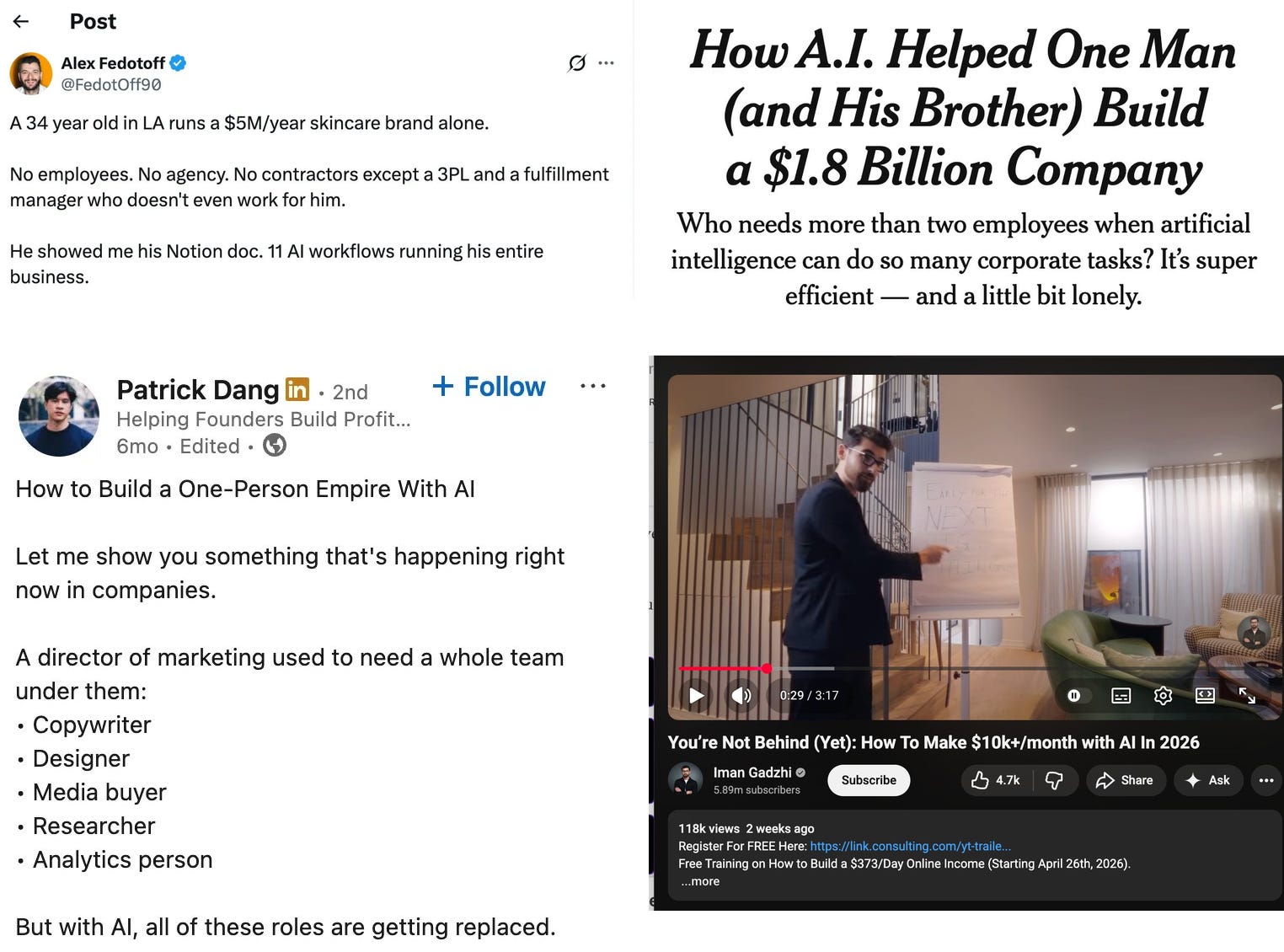
The truth is nobody really knows what’s coming. But the possibilities are starting to feel genuinely endless.
At the beginning of March, I published Becoming AI Native, this was a blueprint for what I thought it meant for businesses to be AI native. My thinking has evolved since that article.
In the article my starting block was: ‘we get AI to do a task instead of us doing it ourselves.’
Two weeks after I published it, I led an internal all-hands stating we’d be pivoting the business to be AI-native. We’re now a month in.
Today, my view of being AI native is broader. Yes, it’s getting AI to do work for you. But it’s also being a systems thinker, it’s being a software developer, it’s a total revolution in how your organisation collaborates, and it’s a total pivot (ultimately) in how you make money.
It’s working out where humans add extreme value and where machines can operate at infinitely more capacity than you. It’s actively developing critical thinking, taste (sorry Kyle Chaka), and interdisciplinary thinking.
Since my original posts, I have had a lot of people ask me about how we’re using AI – and for training and workshops. This is something we’re exploring, so do comment / DM if this is for you.
And so this is an update on where we are, focused on stuff that is high leverage and really helping us already.
I find this is also important to state. I feel like we’re 0.01% of the way to where we’re getting. This post is not about “we’ve replaced every human we ever need and can service £100m of business”, it’s an attempt at an honest reflection of where we are today. Warts and all.
What I’ll be covering today
15 Skills, processes, and software we’ve built
Building daily podcast for the SLT with most important 5 mins from last 24hrs
Chief of staff that is my new 'notes to self' organiser, prioritiser, delivery
Automated ads inspo database that collects from 4-5 different sources
CHJ: my management agent for staying on top of 121s, L&D, progress
Marketing Science education site for myself (Duolingo for marketing sci)
I hope you enjoy
Josh
Key Claude foundations you need to build
Before we get into what we’re building, a quick primer on the things you need to understand to make Claude Code actually work for your business. If any of these aren’t familiar, then use these as starting blocks.
1. CLAUDE.md
Every project in Claude Code can have a CLAUDE.md file. Claude reads it automatically every time it opens that project. This is how you give Claude persistent memory about who you are, what you do, and how to operate.
I’m going to go into a bit more depth on this below, but if you’re unfamiliar and not yet used them. Start with Anthropic’s guide on making useful ones.
2. Context engineering
Prompt engineering was the key thing of 2025, context engineering is the key thing this year. This is more important than writing a better prompt.
This is about how you structure information around your prompt: examples, constraints, formats, objectives…. context is the important thing here. Again Anthropic’s own guide is great.
3. Skills
Skills are actually very simple: they’re just sets of instructions to be carried out in order.
In other words, they’re recipes. Reusable recipes or workflows that you might call upon again and again. This might sound simple enough, but there’s a real skill (no pub) in creating good Skills at the right level.
About 15 years ago I did Harvard’s CS50 and to this day remember the ‘making a peanut butter and jelly sandwich’ segment. If you’re stuck with Skills, watch this to remind yourself of how many steps you need to think stuff through.
4. MCP
MCP (Model Context Protocol) is how you connect Claude Code to your actual tools. Slack. Notion. Google Drive. Your CRM. Instead of copying and pasting context between systems, Claude can read from and write to the tools your business already runs on.
5. Claude Code
Whereas once I maybe had 20 or 30 chats started with ChatGPT everyday, now I barely ask one thing to Claude desktop’s native chat interface per day.
I’ve 99% migrated to Claude Code and in the command line. This isn’t true for the entire team yet, but it does feel like it’s everyone’s natural nth degree rather than just the choice for some people.
15 Skills, processes, and software we’ve built that have revolutionised what we do
1. Claude.mds and folders to set up for success
This is one of those ones I skipped over for so long and is probably one of the single big unlocks.
Claude Code reads CLAUDE.md files from every parent folder it sits inside. So if you structure your folders properly, context travels between your folders by inherting info from the folder above.
At the top, my personal CLAUDE.md. I gave it my background, people in my life, my key projects, how I want Claude to work with me, and my skill level.
Below that, a Ballpoint folder with its own CLAUDE.md covering the agency itself: our positioning, tone of voice, how we work, the team, our clients.
We share the maintenance of this as a team via GitHub (more on that below).
Inside Ballpoint, a Clients folder with a CLAUDE.md that contains key client info: systems for how we structure accounts, Notion organisations and so on.
Then each individual client folder has its own CLAUDE.md with their context: brand, competitors, constraints, current projects.
What this means is when I open a project inside a client’s folder it’s pulling on:
the client’s claude.md
our clients’ claude.md
the Ballpoint claude.md
and my own claude.md
When I first read about people doing this stuff, I delayed it for ages becuase it never felt high-leverage. There’s a reason I’m putting it number one today.
2. Moving to GitHub
I’ve never liked Notion’s version control, or Google Docs’ version control. After three months on GitHub, I finally understand why engineers love it.
The first unlock was shared maintenance. We have long had spreadsheets that contain things like Meta account ids, and another spreadsheet for Notion client links, and another for copywriting best practices. This is now a universally shared set of documents – all via GitHub. It means if something changes it changes for everyone.
Not only that but our bigger projects now get worked on like software ones. One person builds, ships, another tests and feeds back, branches get merged via PR.
For agency work this feels like a revolution.
3. Daily podcast for the senior leadership team
Every morning at 5am, our senior leadership team gets an email with a 5-minute MP3 attached. It’s a podcast summarising everything that happened the day before — key client meetings, key team meetings. It pulls from Slack, Notion, Fathom (where our calls happen), and Granola, synthesises it, and sends us a daily update.
I listen to it on the way into work. As the company has scaled, there’s a lot I’d miss otherwise. This bite-sized brief is how I stay close to the detail without being in every room.
Stack:
Claude
Python
Elevenlabs
GitHub Actions
4. Automated ad accounts checks (Skill)
Checking ad accounts is an ongoing part of the job, and I don’t think handing it entirely to an agent is right. But headline checks now get done automatically as a starting point.
The Skill checks each account against reference CPAs from `clients.json` and builds a rolling memory of how things have changed day-to-day, flagging outliers (was this spend increase actually big for Tuesday?).
Perhaps most importantly, it doesn’t send anything if there’s nothing to report. Instantly, it’s infinitely more useful than a daily report that you instinctively ignore.
Claude Skills
BigQuery & Gcloud’s CLI tools
5. Joining Meta data with Notion links via the CLI
We’ve long used Weld, which has a great internal SQL AI tool. In the later days, I used Claude to help write the SQL for me.
Now we’re connecting to BigQuery directly from the command line, which lets us join data sources on the fly. Because Bigquery sits alongside the Notion MCP, it means joining data together is done in human-speak rather than infra + data eng speak. It means that with some simple setup anyone can chat about any client’s data and it provide proper understanding, without the need for a line of code.
BigQuery & Gcloud
Claude Skills
6. Staying on top of X without getting sucked in
I used to waste a lot of time on social media following people sharing hacks and tidbits. It’s very easy to get sucked into the DTC timeline.
Now I have a handful of key people I care about. Every Monday morning, a Skill summarises their posts from the week, highlights anything new, and shares the original post alongside. If there’s a spike in conversation volume around a specific topic, that gets flagged too. Apify does the scraping as part of the Skill.
Claude Skills
Apify
7. A Chief of Staff that is my memory & coordinator
The problem I kept hitting: I always have ideas. At any given moment I’m jotting something down, forwarding an email to myself, or voice-noting a thought. I never build the time back in to go through it.
So I built a chief of staff. It ingests from a few places — Telegram API, an email subfolder (`josh+x@weareballpoint.com` goes straight in), voice notes. Whatever I share, it reads: if it’s a YouTube link, it pulls the transcript; if it’s an article, it reads the article. It’s logged into The Economist, FT, and The New Yorker, so paywalled pieces work too.
Then it decides what needs my full attention versus what can just be summarised and filed as a data point. It also acts on things. “Get a meeting with so-and-so” → it books the meeting. This is one of the areas I’m developing most — it’s starting to connect to my other Skills so it can trigger them automatically.
Claude Skills
Telegram API
Apify
GitHub Actions
Claude Schedule
Firecrawl for YT transcriptions
8. Auto-tagged ads inspiration database
Tools like Foreplay exist for this. But the reality for us is that ad ideas get shared in fifteen different places: Instagram DMs, WhatsApp groups, Slack channels, email etc etc.
What we now have is a centralised inspiration database that scrapes all of these sources automatically. The actual ad creative (video or image) is pulled via Apify and stored. Everything is auto-tagged by creative type, so we can pull references back whenever we need them.
Claude Skills
Apify
Notion
9. CHJ: my agent for managing
Named after Claire Hughes Johnson, who wrote Scaling People (one of my favourite books on management).
This is a management agent that holds my team’s progress, notes from 121s, the key projects different team members are working on, and non-work projects they’re collaborating on. It has our growth and progression frameworks built in, so we can stay on top of how people are progressing. It also tracks things like team energy which is one of our internal benchmarks.
Claude Skills
Fathom API
Granola API
10. Creator discovery & outreach agent
Finding creators is human-intensive and time-intensive — a natural place for AI to help.
The Skill is connected to Notion, where our briefs live. It pulls client characteristics and key customer notes from the brief itself, then searches Instagram or TikTok (depending on the client) against a tuned set of criteria. It builds a database of candidates, and via the Gmail API, it can start the outreach process too.
Apify
Gmail
11. Internal self-serve Meridian MMM
We’ve worked with data scientists for a long time to build MMMs with Meridian. For clients with a reasonable degree of similarity, we can now self-serve the Meridian rollout via this Skill.
It connects to our existing data warehouse, which makes it simple to run. We’ve also rebuilt the frontend in our own branding — a mixture of Astro and TypeScript — so the output looks like us, not like a research paper.
Claude Skills
Google Meridian
Astro
Typescript
12. Billing & Finance agent
We track time internally with Toggl, invoice via Xero, and have various ongoing discussions in Slack and Notion. This agent sees all of that.
I can ask how long a project took, whether we’re over-serviced on a client, how a retainer is trending. The answers are much richer because it’s looking across all the facets — not just the numbers in Xero.
Toggl
Xero
Claude Skills
Slack
Notion
Gmail
13. Marketing Science Education Site
I built this for marketing science specifically, but it’s the kind of thing you could do for anything.
I find reading isn’t actually how I learn best. So I built a simple spaced-repetition learning app to teach myself marketing science properly. It has an education layer and a revision layer. Essentially Duolingo for marketing science.
Javascript
HTML & CSS
14. Pitch decks we update via voice in the review meetings
Nobody likes building pitch decks.
Ours are now built in HTML, CSS, and a little JavaScript. There’s a uniform design system across every deck. Core page formats are specified. Videos and images slot in as examples. It means zero misalignment in design principles, and everything follows a proper hierarchy.
The payoff: we edit decks conversationally. Wispr Flow open, walk through the deck almost live, record notes, hit enter. By the time I’ve finished talking about the current slide, the previous slides have already updated. Deck creation has gone from hours to minutes.
HTML, CSS, and JS
Claude Skills
Wispr Flow
Gmail for context on clients
Analysis subagents
15. Cosgrove: our meeting note account manager
Transcription notes suck. And the reason is not because of AI but because of context.
It doesn’t matter whether you’re using Fathom (like we do) or Granola (ditto) or any of the others, they are still universal tools. Now, what they’re great for is transcribing and managing that process – that said we may well one day replace that too.
But the important thing is adding in context.
One of our most recent internal tool releases is Cosgrove (named after Ken Cosgrove, Mad Men’s affable account man). This is trained on a series of best practice human meeting actions Slack messages, these were perfected over three years to get the right degree of actions, insights and notes – linked to all the right places.
This was a fun one to build, and while we’re not 100% at output yet – I’d imagine by the time this goes to print, we will be.
That’s what we’ve built, here’s what we’ve got coming.
What we’ve got planned
As well as all of the above, we’re also currently building four separate bits of software that are combinations of code + skills + research + self-improving loops.
For the time being, we’re keeping these under wraps. Though as I joked last week, the possibilities are starting to feel majorly exciting.
Here’s a few areas where we still believe humans do the best work:
Starring in UGC ads. While simple statics will arguably all be replaced by AI creative in the near-term, UGC is still something that works because of its authenticity.
Customer interviewing and analysis. The nuance of how someone answers a question, the tone, the subconscious meaning because of how they smiled, and the ability to push harder in the interview itself, all mean that this is a skill that will forever remain human-focused. Maybe we’ll have AI moderators for our focus groups, but it won’t be any time soon.
Creative strategy. By this, we should be mindful of the differences between (a) the deep thinking work of creative strategy, and (b) the executional work of writing a brief. Joining the dots together requires significant outlier thinking: not just following a set of prescriptive best practices.
Strategy in general. With AI we could make 10,000 ads for you tomorrow. It doesn’t mean that would be useful. There still needs to be cognitive decision-making in the process, and humans are the best at working out what to say No to.
Client servicing and deep communication. Not all client servicing requires humans. There is lots of factual information that doesn’t need context, and soon I imagine our Ballpoint AI talking directly to the client AI to provide updates for immediate status reports. But the human time as we go through decisions, thinking, context, as we try to get people aligned and incentivised right – I can’t see this going away any time soon. Not just this, but the human-to-human sense that we’re in these trenches together as we are with our clients is still the most valuable work we can do.
For me a lot of this is resetting my first principles.
I’m asking questions based on:
If we ignored everything we knew about growth up until now and started with a blank piece of paper and Ballpoint, how would we design that system?
What is software, and what is a skill?
How can we build genuine self-improvement loops into our AI work so we can start seeing exponential improvements in output.
If I had to make a bet, then I imagine the way this will manifest is this:
In 6 months time, I bet our win rate for creative goes up from 35% to 65%+
This is the core bet I’m making at the moment and I’m deeply excited as we embark on this journey to get there.


Great article and one of the most practical I’ve read. A common issue I see is that companies and those with fail to think in systems and in particular their own - yet somehow they use them everyday subconsciously. Talking into that and then looking for a solve is powerful. Often as your various tooling describes it is the blending of tools and creation of “AI glue” to make them work. GitHub has become one of the most central tools for me and those I work with.